Ask reception for help
Send enough detail for the team to investigate.
Before you begin
Gather the screen name, exact date and time, and a short description of what you expected. A cropped error screenshot can help.
What to do
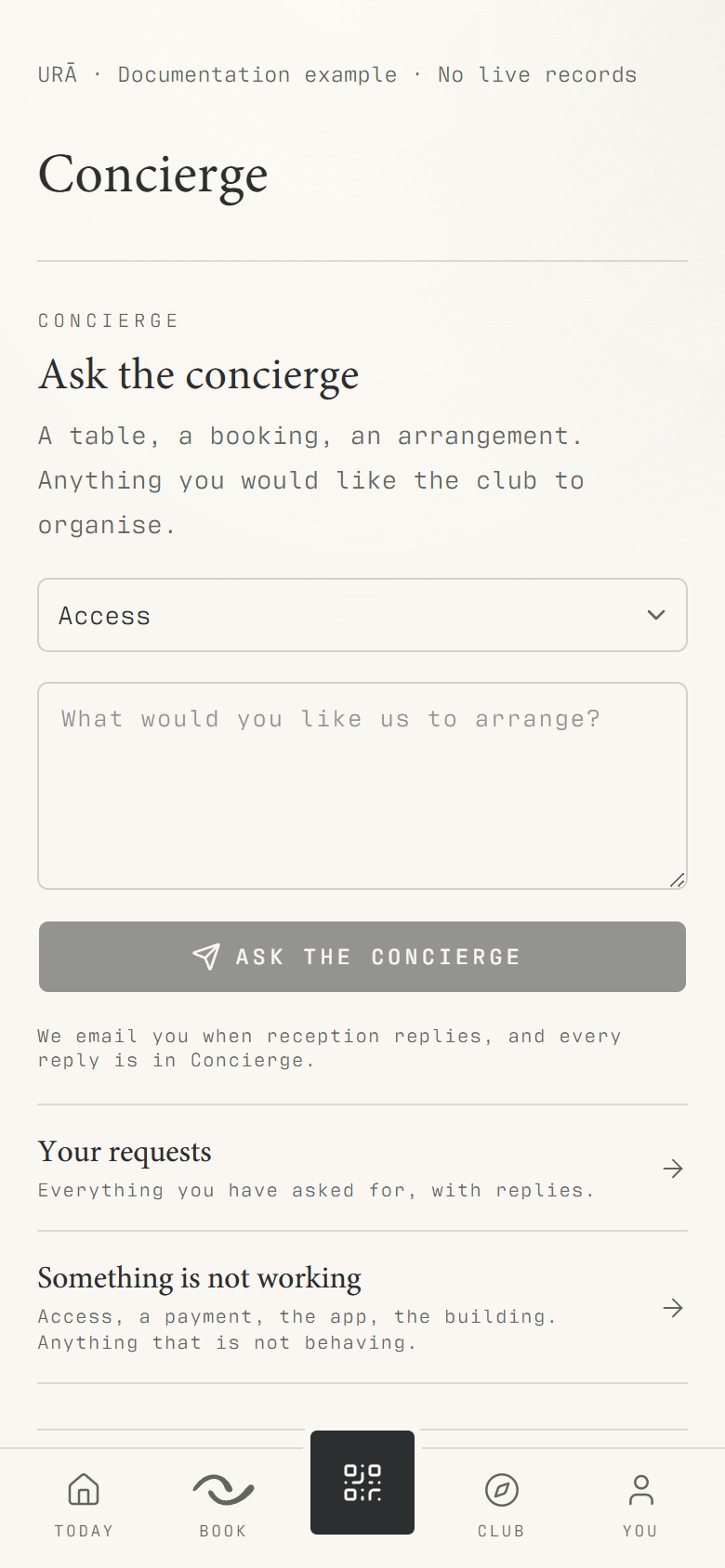
Open You → Concierge or Help.
Choose the relevant subject and describe the problem.
For a booking issue, include the class or treatment, exact visit date and time.
Submit the message and check the conversation for a reply.
What should happen
Your enquiry is available in the support conversation. Check that conversation for a response and provide any requested context.
Example
Useful: 'Drain & Sculpt, 4 November at 10:45, shows payment pending although reception received payment.'
Screen guide
Troubleshooting
What information helps resolve a class or payment issue?
Include the class or treatment name, occurrence date, booking time and the visible status. For a payment discrepancy, provide the receipt reference through the channel reception requests, without card credentials.
Understand the difference
- Account / access pass
- An account lets a person sign in. Club entry also depends on membership or visit validity, payment, approval and restrictions. Guests use their private browser pass rather than needing a member login.
- Plan allowance / prepaid package / courtesy
- A plan allowance is a membership benefit. A prepaid package has its own session balance. A courtesy invitation is granted at no charge. Select the correct entitlement instead of changing the membership to make a treatment fit.
Before you finish
Never send passwords, sign-in links, full card details or QR codes in a support message.