Cancel one date without removing next week
Review which sessions and people will be affected before confirming.
Before you begin
Identify the class, exact date and affected bookings. Read the cancellation preview before the final confirmation.
What to do
Choose the class date and select Cancel class or Cancel on the class card.
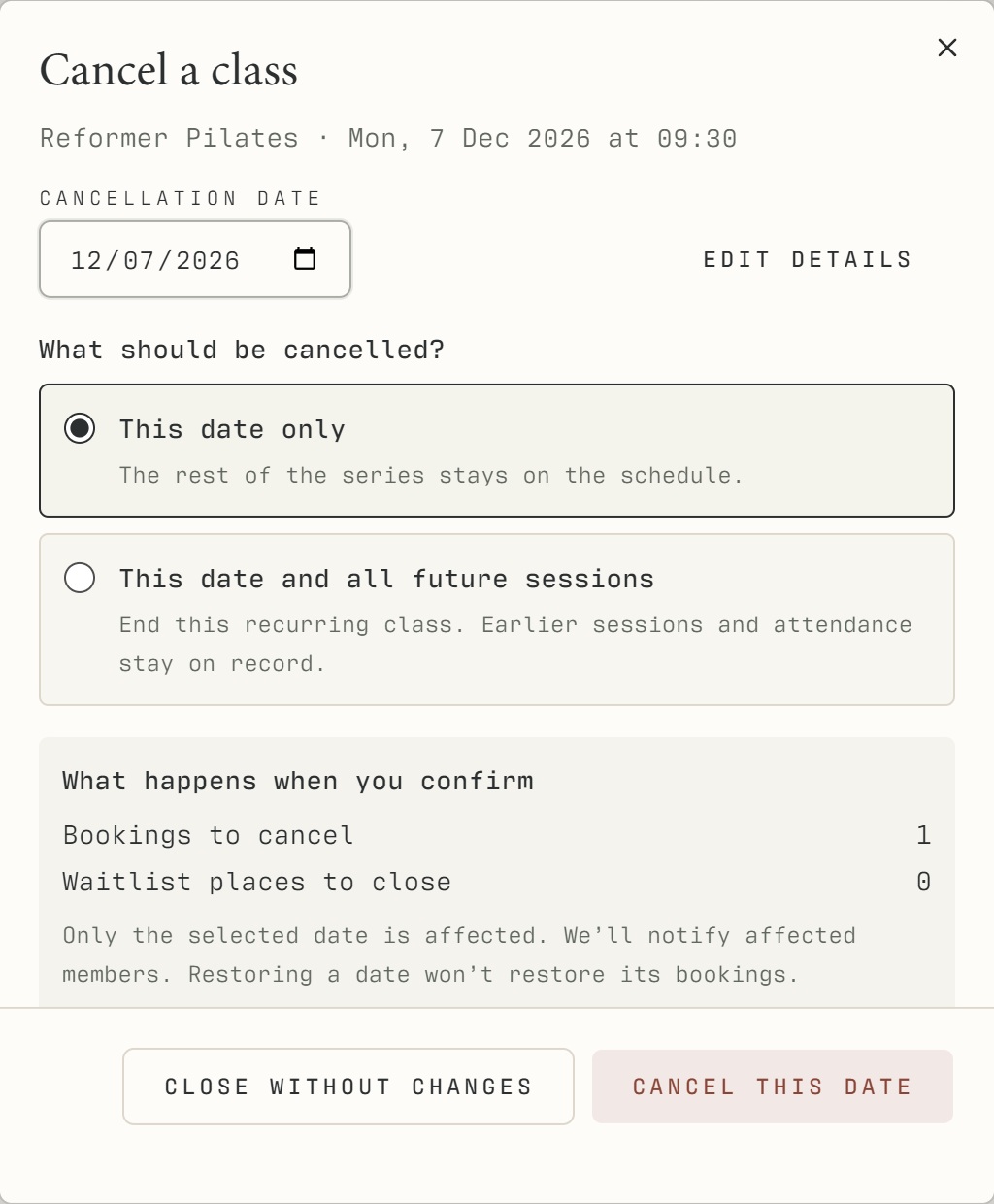
Check the date in the dialog.
Choose This date only to cancel just that session, or This date and all future sessions to end the series from that date.
Review the number of bookings and waiting-list places affected. For a series, review the future cancellation preview.
Confirm the cancellation, then check the timetable and calendar. Use Show cancelled classes to review cancelled dates.
What should happen
Cancelled sessions disappear from the normal bookable schedule or appear clearly cancelled in the review view. Existing booking history remains available.
Example
Choose This date only for a teacher's absence on 11 November. Choose the future-series option only if the series should stop from that date.
Screen guide
Troubleshooting
The class still appears, or a cancellation partly failed.
Check the same date in every view and whether Show cancelled classes is enabled. Read any partial-completion or notification error and follow the recovery offered. Escalate unresolved bookings; do not assume a hidden card proves everyone was notified.
Understand the difference
- One date / recurring series
- A dated class is one occurrence. A recurring series supplies repeated sessions. Choose the scope in the change dialog and check the date before confirming; review later weeks separately.
- Booked / attended / cancelled
- Booked reserves a place. Attended records presence. No-show records absence. Cancelled ends the reservation or session. These states should not be counted interchangeably.
- Member / trainer / reception
- A member login is for personal bookings and access. Trainers use invited staff accounts for assigned work. Reception and administrators receive broader tools according to their actual permissions.
Before you finish
If an incomplete cancellation or failed notification is reported, finish the cancellation or contact affected people as indicated. Restoring a class does not automatically restore its old bookings.