Change one class or its recurring series
Use a dated change for a cover teacher or a one-week time change.
Before you begin
Select the date to change and identify any existing bookings. Read the scope choice before editing fields.
What to do
Open Classes and choose the date you need.
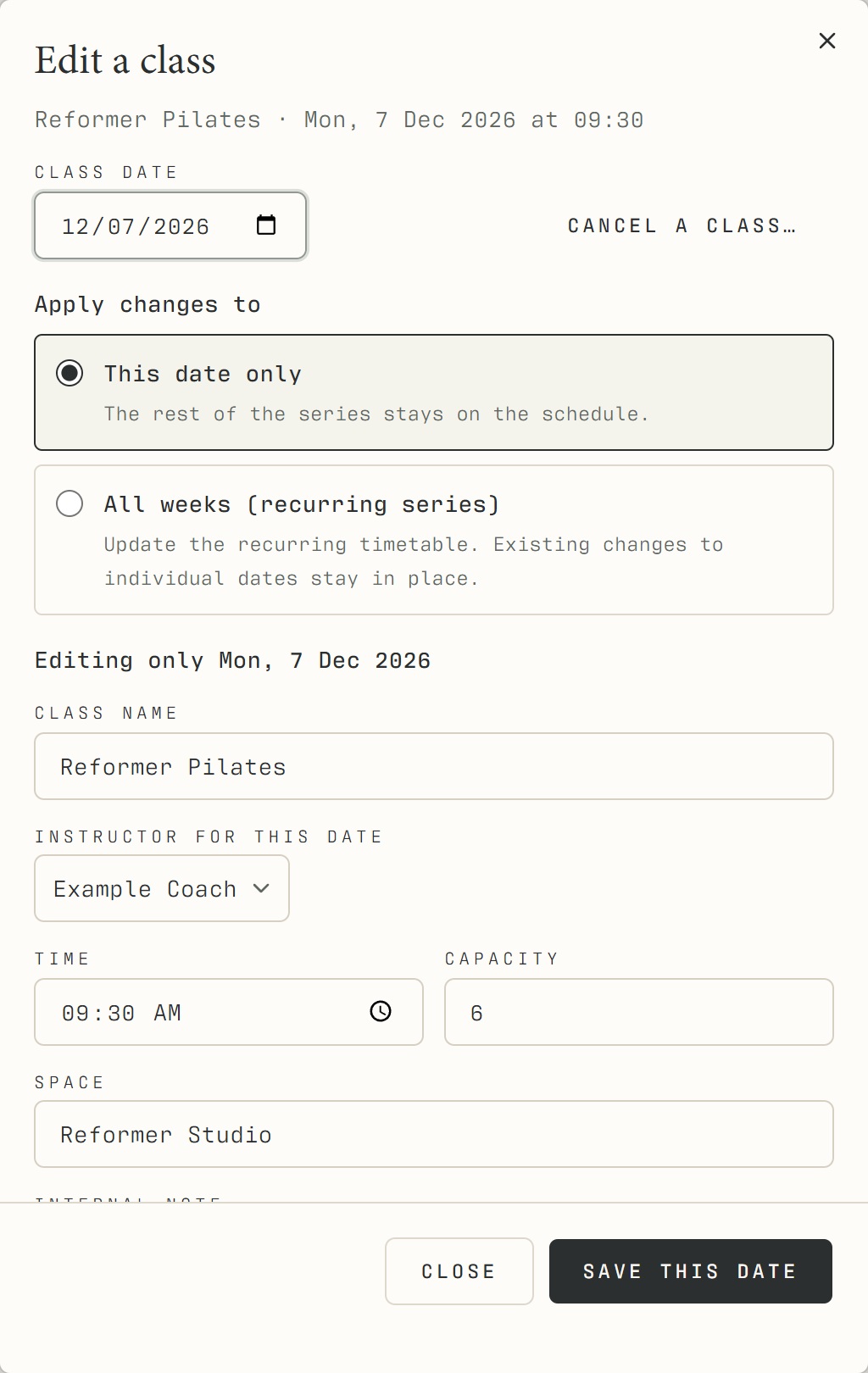
Click Edit class beside an upcoming class in the register, or Edit on its timetable/calendar card.
Verify the class name, date and time at the top of the dialog.
Choose This date only for a one-off change, then change the instructor, time, room or capacity as required.
Save this date and check the resulting session. Choose All weeks only when the recurring timetable itself should change.
What should happen
The selected occurrence reflects the saved changes. With This date only, other weeks keep their own scheduled details.
Example
Example Coach covers Monday 7 December at 09:30. Select that date, change only the instructor, then check Monday 14 December separately.
Screen guide
Troubleshooting
When should I choose All weeks?
Use the recurring-series option for a deliberate timetable change. Existing individual-date overrides remain in place, so inspect affected dates after saving. For a cover teacher, use This date only and verify the following week is unchanged.
Understand the difference
- One date / recurring series
- A dated class is one occurrence. A recurring series supplies repeated sessions. Choose the scope in the change dialog and check the date before confirming; review later weeks separately.
- Booked / attended / cancelled
- Booked reserves a place. Attended records presence. No-show records absence. Cancelled ends the reservation or session. These states should not be counted interchangeably.
- Member / trainer / reception
- A member login is for personal bookings and access. Trainers use invited staff accounts for assigned work. Reception and administrators receive broader tools according to their actual permissions.
Before you finish
Changes to one date leave other weeks unchanged. Existing individual-date overrides remain in place when recurring details are edited.