Approve membership and check access
Check identity, plan and payment before enabling entry.
Before you begin
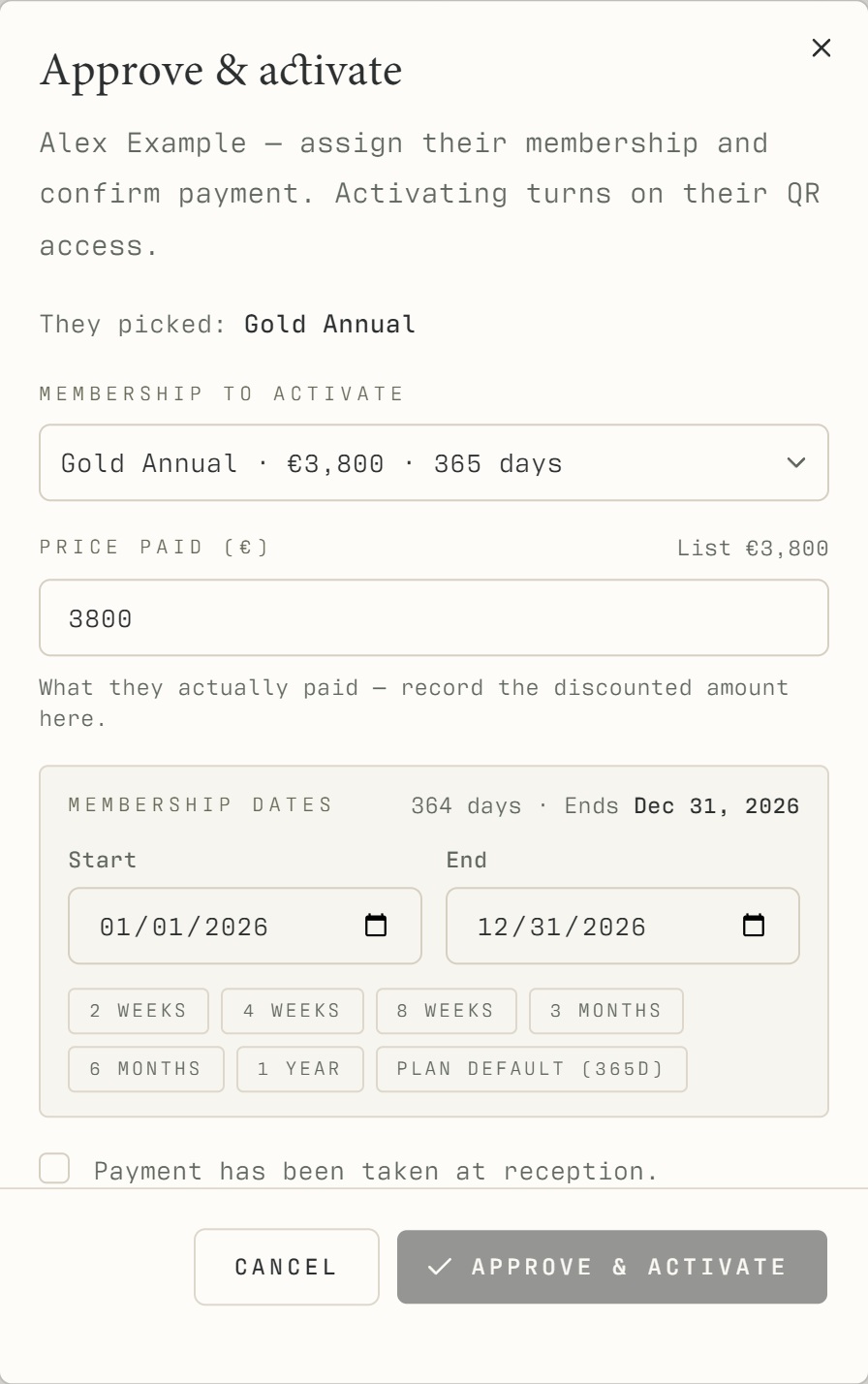
Match the person and review the intended membership, payment evidence, validity and warnings. Approval should reflect the club's actual decision.
What to do
Open Approvals or find the person under Members.
Open the profile and verify the member's details and intended plan.
Review payment, validity and any blacklist or freeze warning.
Use the approval action when the conditions have been met.
Check the resulting membership and access status before telling the member they can enter.
What should happen
The resulting profile shows the approved membership and current access state. The member can check their live access screen.
Example
A valid annual plan with a freeze starting today can be approved while entry remains suspended during the freeze.
Screen guide
Troubleshooting
Approval exists but access is still refused.
Check whether the membership is expired, frozen, payment pending or restricted. Approval does not remove those independent conditions. Resolve the incorrect record with the responsible manager rather than overriding unrelated controls.
Understand the difference
- Account / access pass
- An account lets a person sign in. Club entry also depends on membership or visit validity, payment, approval and restrictions. Guests use their private browser pass rather than needing a member login.
- Plan allowance / prepaid package / courtesy
- A plan allowance is a membership benefit. A prepaid package has its own session balance. A courtesy invitation is granted at no charge. Select the correct entitlement instead of changing the membership to make a treatment fit.
Before you finish
Do not override a payment or access restriction simply to make a QR appear. Escalate discrepancies to a manager.