Register a member or day-pass visitor
Create the correct person once and open their profile after registration.
Before you begin
Search for an existing profile first. Confirm the visit date, pass product and whether payment has actually been received.
What to do
Open Members and search for the person first to avoid duplicates.
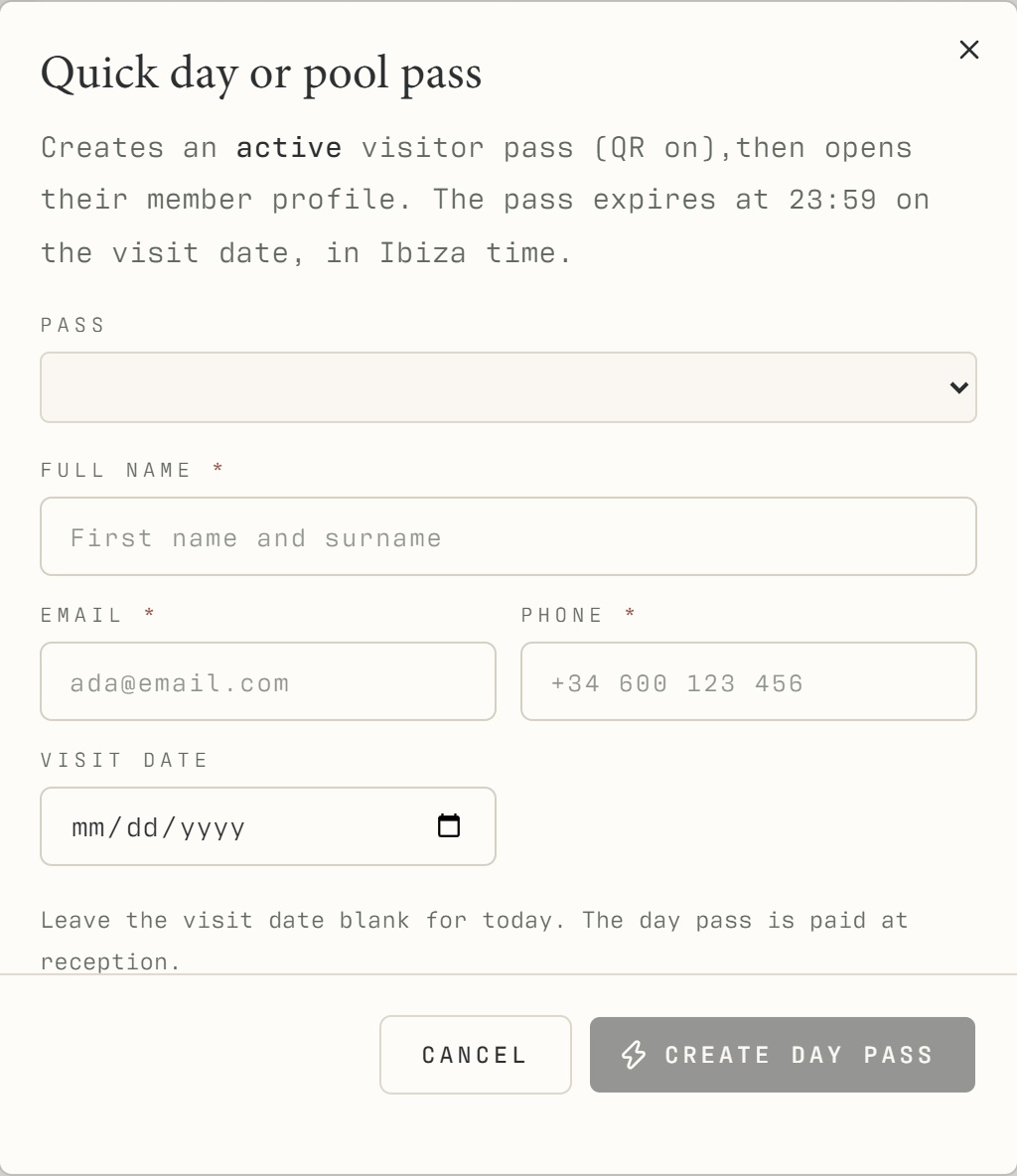
Use Register member for a membership, or Quick day / pool pass for a visitor.
Enter the required identity, contact and visit details and choose the correct product.
Record the actual payment state and submit the form.
Review the profile opened after registration, approve access when appropriate and copy or resend the visitor link if needed.
What should happen
The newly registered person's profile opens for review. Its pass and payment state correspond to the selected visit.
Example
A person returning for another day pass should retain their identity and history; a new visit is not a new person.
Screen guide
Troubleshooting
The email is already registered.
Open the existing person's profile and confirm their identity. Do not use a slightly altered email to create another record. If two people share contact details, ask management to resolve the identity information before continuing.
Understand the difference
- Account / access pass
- An account lets a person sign in. Club entry also depends on membership or visit validity, payment, approval and restrictions. Guests use their private browser pass rather than needing a member login.
- Plan allowance / prepaid package / courtesy
- A plan allowance is a membership benefit. A prepaid package has its own session balance. A courtesy invitation is granted at no charge. Select the correct entitlement instead of changing the membership to make a treatment fit.
Before you finish
Use the existing account when the email is already registered. A registration or pending payment alone does not guarantee entry.