Book or correct a past massage
Record the real treatment date and edit mistakes without replacing the booking.
Before you begin
Open the correct member and check existing appointments first. For a past treatment, use its actual date and time.
What to do
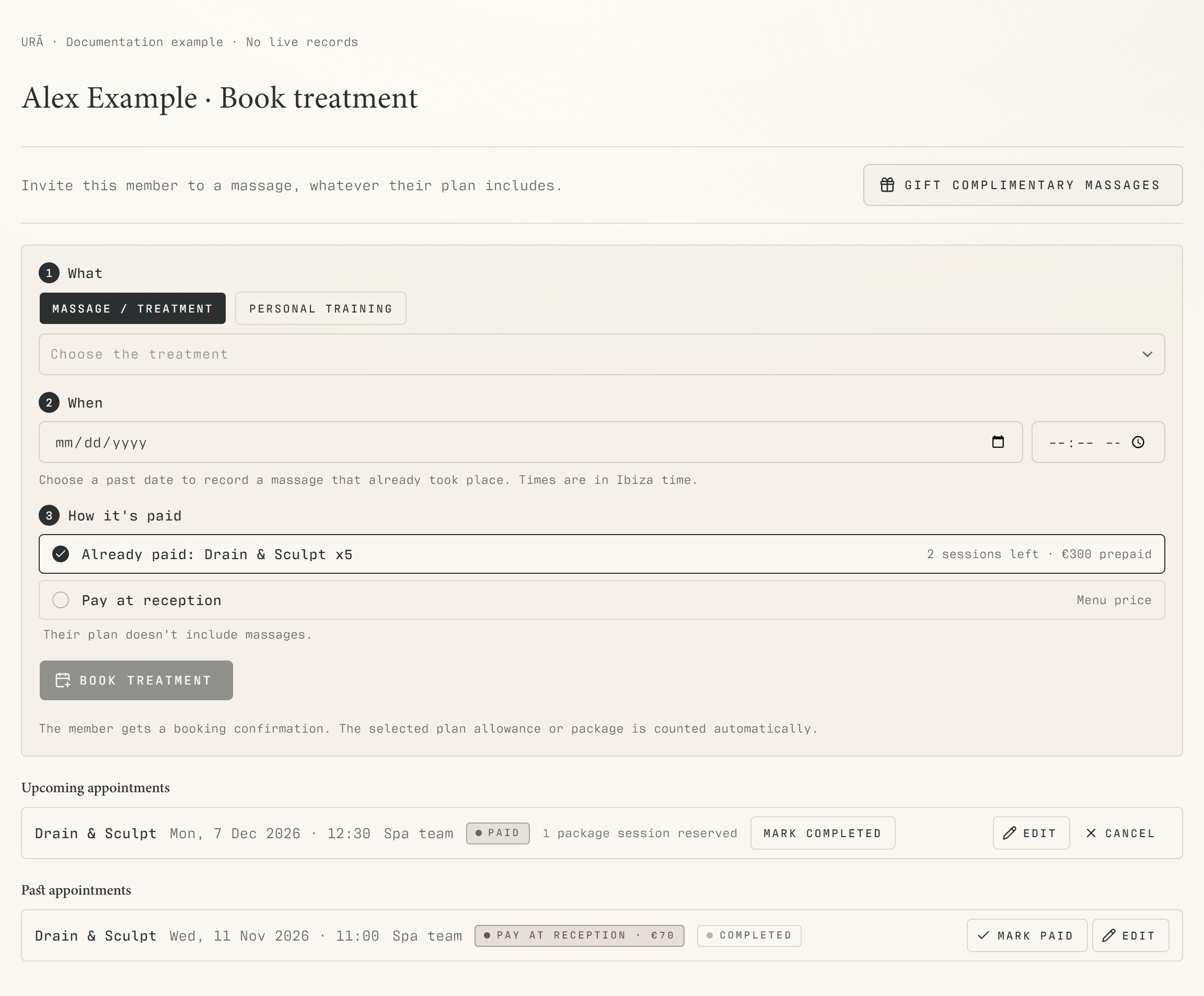
Open Members → the person's profile → Book treatment.
Choose the treatment, date and start time. Reception may select a past date for a treatment already delivered.
Review How it's paid: plan allowance, prepaid package or Pay at reception.
Book the treatment and review it in the appointment list.
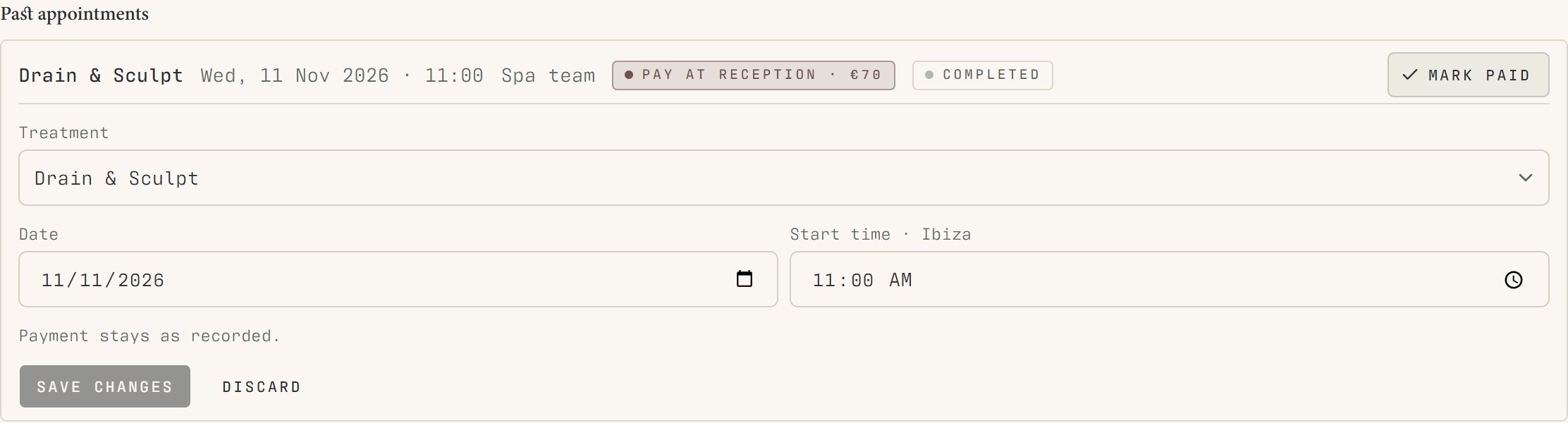
For an existing appointment, choose Edit, correct the date, time or treatment, and save.
What should happen
The appointment records the corrected treatment and payment basis. A delivered past appointment appears in the past list.
Example
Correct a massage from 10:45 to 11:15 using Edit. Do not book another session just to fix the time.
Screen guide
Troubleshooting
Changing the treatment gives a package or payment warning.
The original package may not cover the new treatment. Review How it's paid again, select a matching entitlement or reception payment, and check the balance after saving. Editing is preferable to logging the same service twice.
Understand the difference
- Completed / paid
- Completed records that a treatment happened. Paid records receipt of payment. An appointment can be completed with payment still pending; verify the receipt before correcting the payment label.
- Plan allowance / prepaid package / courtesy
- A plan allowance is a membership benefit. A prepaid package has its own session balance. A courtesy invitation is granted at no charge. Select the correct entitlement instead of changing the membership to make a treatment fit.
- Account / access pass
- An account lets a person sign in. Club entry also depends on membership or visit validity, payment, approval and restrictions. Guests use their private browser pass rather than needing a member login.
Before you finish
Use the date the treatment actually happened. Changing treatment can require a different package or payment choice; review the resulting balance.