Review class and workshop waiting lists
Check queue status without treating a waiting place as a confirmed booking.
Before you begin
Select the class or workshop and its occurrence date. Check actual capacity and any offer expiry before taking action.
What to do
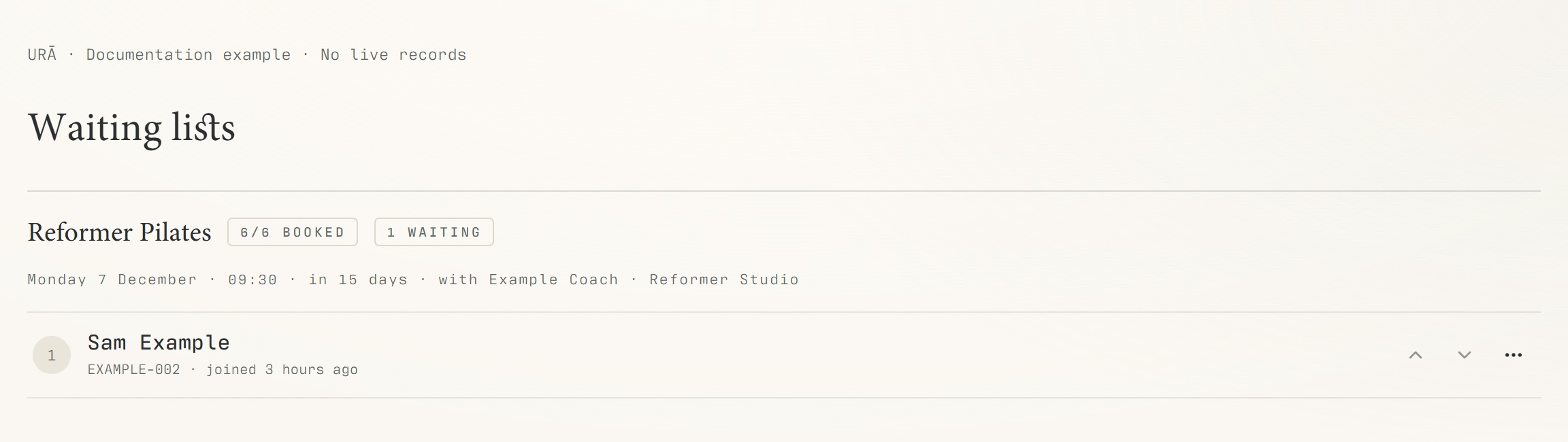
Open Waiting lists from the reception navigation.
Find the class or workshop and verify the occurrence date.
Review queued people and any offered or claimed places.
Use the available queue action only after checking the person's eligibility and current capacity.
Check Class bookings or Reservations to confirm that a booking was actually created.
What should happen
The queue displays the current waiting or offered state. A confirmed place is verified in the booking register.
Example
Sam waiting for Monday's class is not automatically booked into the same class next Monday.
Screen guide
Troubleshooting
A person was offered a place but is not on the roster.
An offer may still need to be claimed or may have expired. Review its state and the resulting booking before promising entry. If the session was cancelled, check the date's cancellation outcome rather than reopening places blindly.
Understand the difference
- One date / recurring series
- A dated class is one occurrence. A recurring series supplies repeated sessions. Choose the scope in the change dialog and check the date before confirming; review later weeks separately.
- Booked / attended / cancelled
- Booked reserves a place. Attended records presence. No-show records absence. Cancelled ends the reservation or session. These states should not be counted interchangeably.
- Member / trainer / reception
- A member login is for personal bookings and access. Trainers use invited staff accounts for assigned work. Reception and administrators receive broader tools according to their actual permissions.
Before you finish
A cancellation can close waiting-list places for the affected date. An invitation to claim a place is not the same as a confirmed reservation.