Show your entry QR
Open the correct pass before reaching the door.
Before you begin
Check that your membership or visit is valid for today. Bring up the live access screen rather than a saved picture from an earlier visit.
What to do
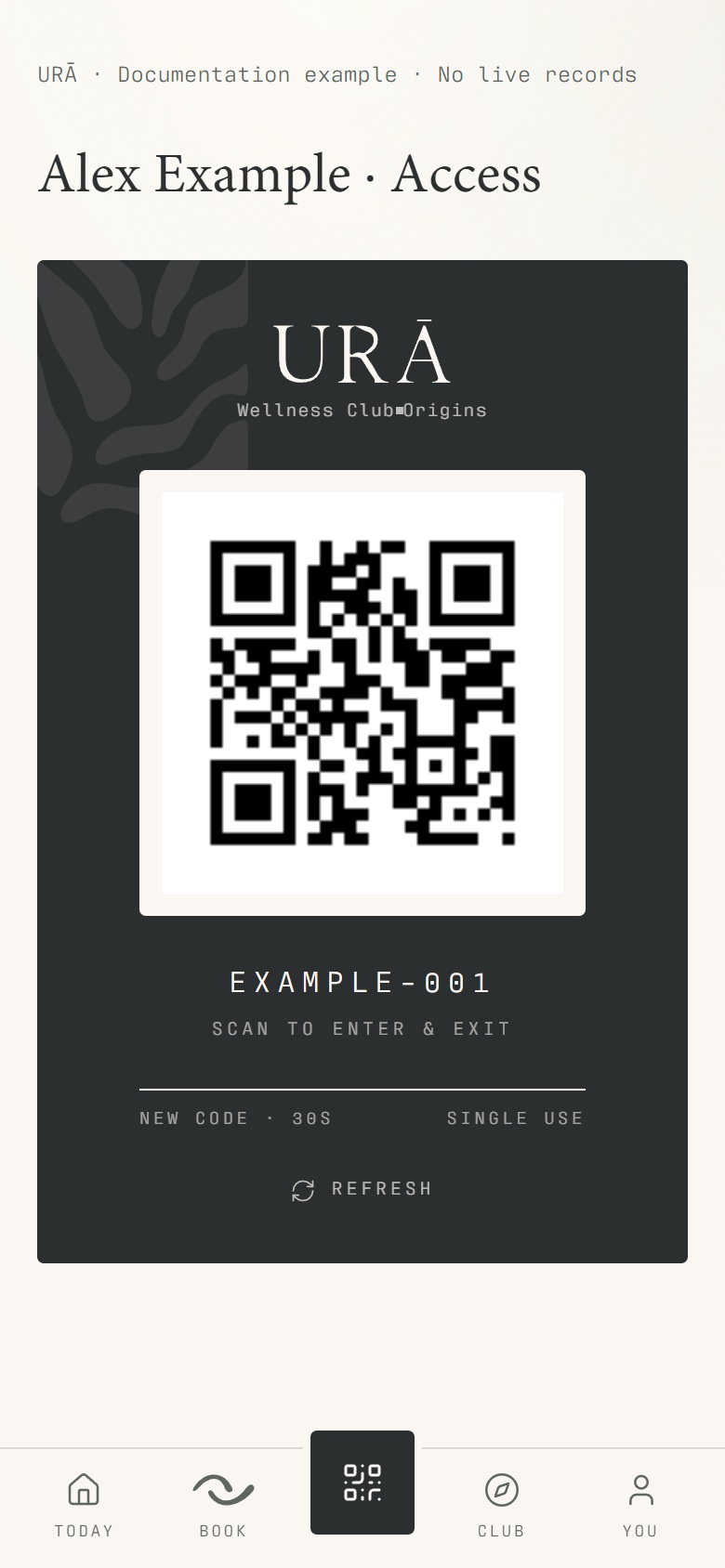
Tap the centre QR button, or open You → Access & guests.
Check the membership status and validity shown on the access screen.
Keep the live QR screen open and show it to the reader or reception.
If access is refused, ask reception to check your membership, payment, freeze or access restriction.
What should happen
The screen displays your current pass and its status. Reception can investigate a refusal using your member identity and the visit date.
Example
A member with a freeze active today may still sign in to their account while entry remains unavailable.
Screen guide
Troubleshooting
I can sign in, but my QR does not allow entry.
Signing in and having access are separate. Ask reception to check validity, payment, approval, a scheduled freeze and any access restriction. Reinstalling the app does not resolve a membership restriction.
Understand the difference
- Account / access pass
- An account lets a person sign in. Club entry also depends on membership or visit validity, payment, approval and restrictions. Guests use their private browser pass rather than needing a member login.
- Plan allowance / prepaid package / courtesy
- A plan allowance is a membership benefit. A prepaid package has its own session balance. A courtesy invitation is granted at no charge. Select the correct entitlement instead of changing the membership to make a treatment fit.
Before you finish
A QR is an access credential. Screenshots in the help centre contain a deliberately invalid example code; use the current code in your account.