Sign in or recover your account
Use your existing account instead of creating another profile.
Before you begin
Check the exact email with reception, including spelling and punctuation. Use your existing account even if you have never installed the app before.
What to do
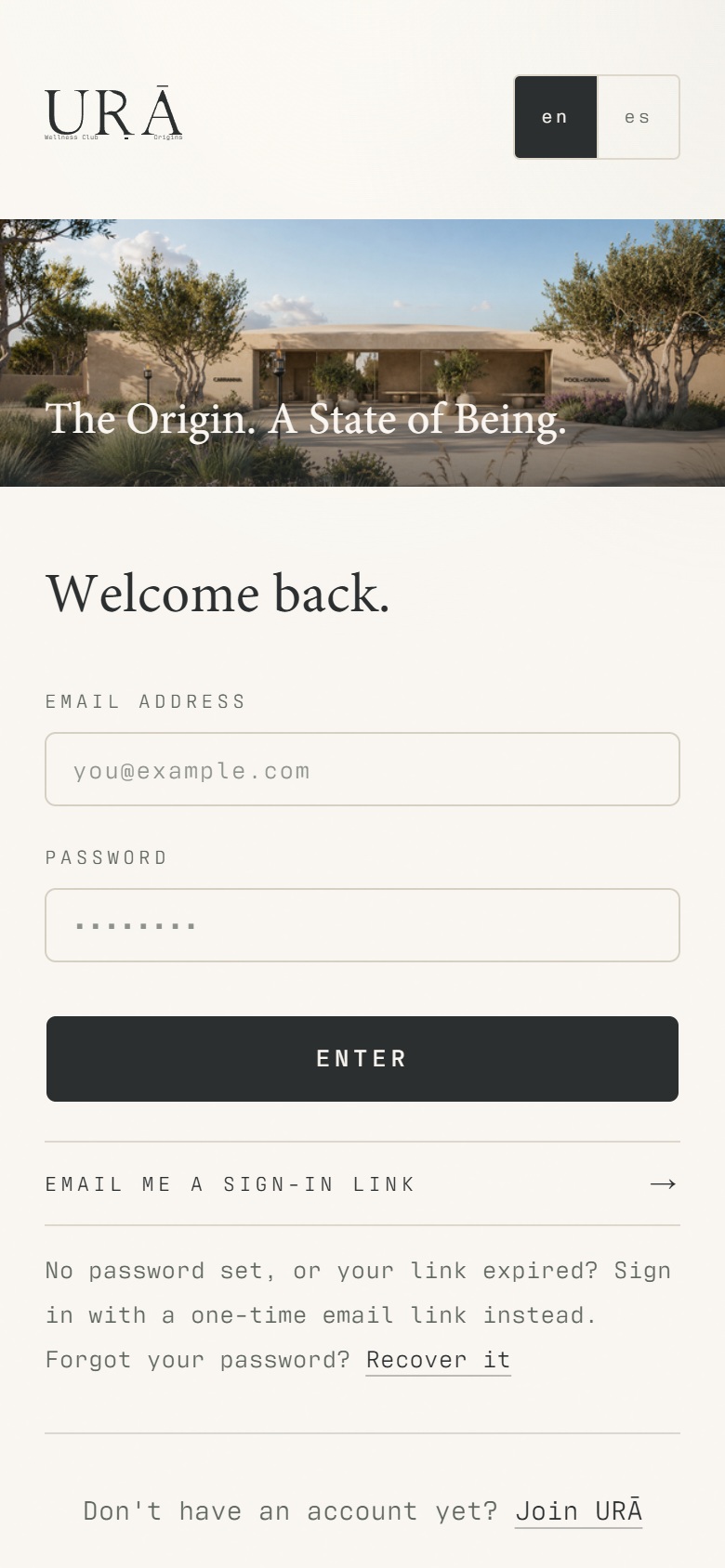
Enter the same email address reception used for your account.
If you have a password, enter it and tap Sign in.
If you have no password or cannot sign in, choose Email me a sign-in link and check your inbox and spam folder.
Open the newest email link. If it opens a browser, follow the app-opening option when offered, or continue on the web.
Use Reset password when you want to set a new password. Ask reception to check your exact login email if the account is not found.
What should happen
Your existing membership and bookings appear after sign-in. If the account has a staff role, use its staff entry point to reach work tools.
Example
A member registered as alex@example.invalid must use that address. An invitation to another mailbox does not transfer the membership.
Screen guide
Troubleshooting
The email says my account could not be found.
Check that you entered the invited login email, rather than another address you use. Request a new link only after correcting it. If the correct address still fails, send reception the error text; do not create a replacement membership.
Understand the difference
- Account / access pass
- An account lets a person sign in. Club entry also depends on membership or visit validity, payment, approval and restrictions. Guests use their private browser pass rather than needing a member login.
- Member / trainer / reception
- A member login is for personal bookings and access. Trainers use invited staff accounts for assigned work. Reception and administrators receive broader tools according to their actual permissions.
Before you finish
An email link does not grant a membership or staff role. Do not forward your sign-in link to anyone else.