Find and book a class
Check the date, teacher and available places before reserving.
Before you begin
Choose the date you intend to attend. Read any booking window, remaining places and payment information before confirming.
What to do
Open Book and select Classes.
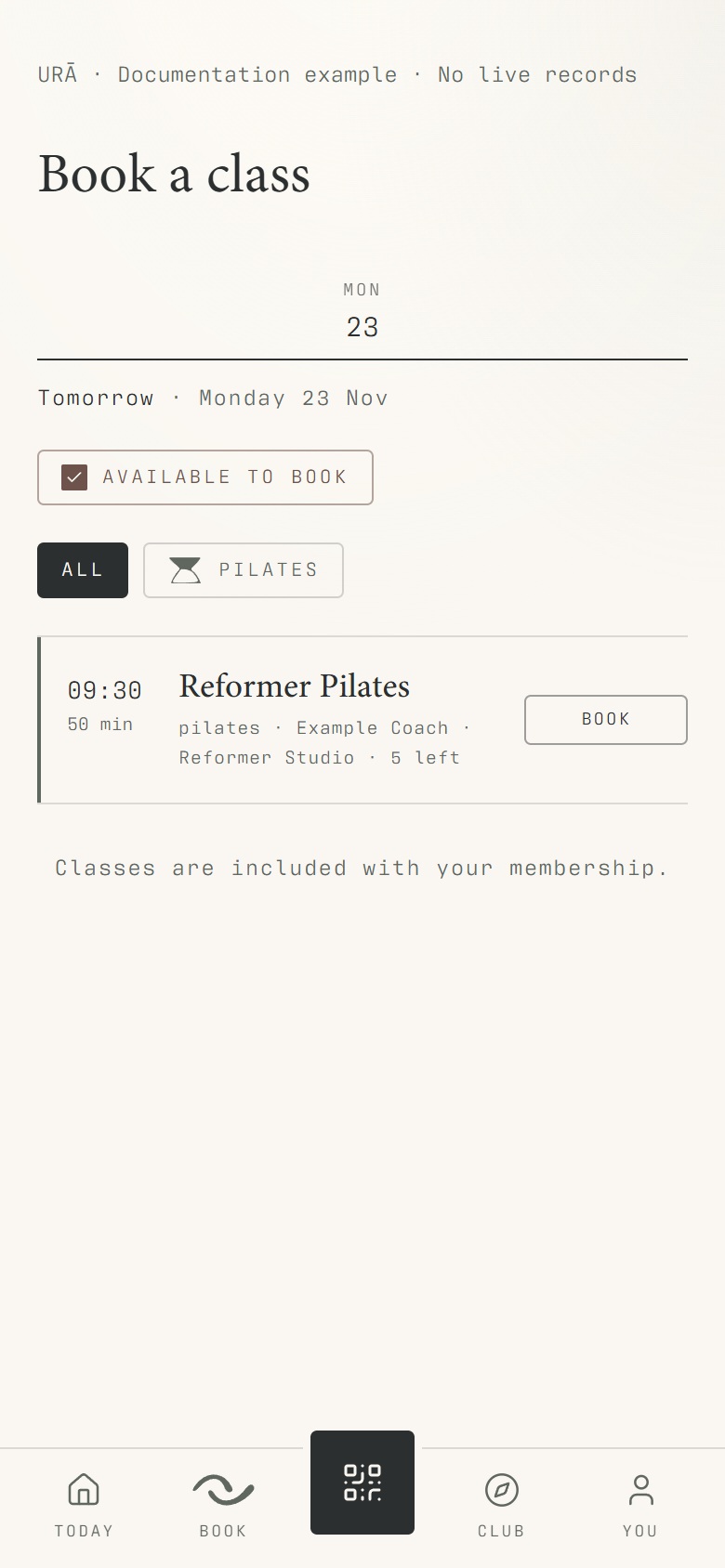
Choose the day you want to attend; read the class date, time, instructor and description.
Open the class and choose the available booking or waiting-list action.
Review any price or payment message before confirming.
Check You → Bookings for the confirmed reservation.
What should happen
The reservation appears in Bookings for that exact date and time. A waiting-list entry should be treated as waiting until a place is confirmed.
Example
A cover instructor on next Monday's session applies to that dated class; it does not tell you who teaches the following Monday.
Screen guide
Troubleshooting
A class is visible but I cannot reserve it.
Read the explanation beside the action: the booking window, capacity or your eligibility may prevent booking. Compare the exact date with reception before assuming the weekly schedule is incorrect.
Understand the difference
- One date / recurring series
- A dated class is one occurrence. A recurring series supplies repeated sessions. Choose the scope in the change dialog and check the date before confirming; review later weeks separately.
- Booked / attended / cancelled
- Booked reserves a place. Attended records presence. No-show records absence. Cancelled ends the reservation or session. These states should not be counted interchangeably.
- Member / trainer / reception
- A member login is for personal bookings and access. Trainers use invited staff accounts for assigned work. Reception and administrators receive broader tools according to their actual permissions.
Before you finish
An included class, a paid class and a waiting-list place are different states. A cancelled session cannot be booked.