Invite a guest in one tap
Create an invitation from your own account.
Before you begin
Have the guest's correct name, email and visit date. Check the allowance shown in the form and any additional charge.
What to do
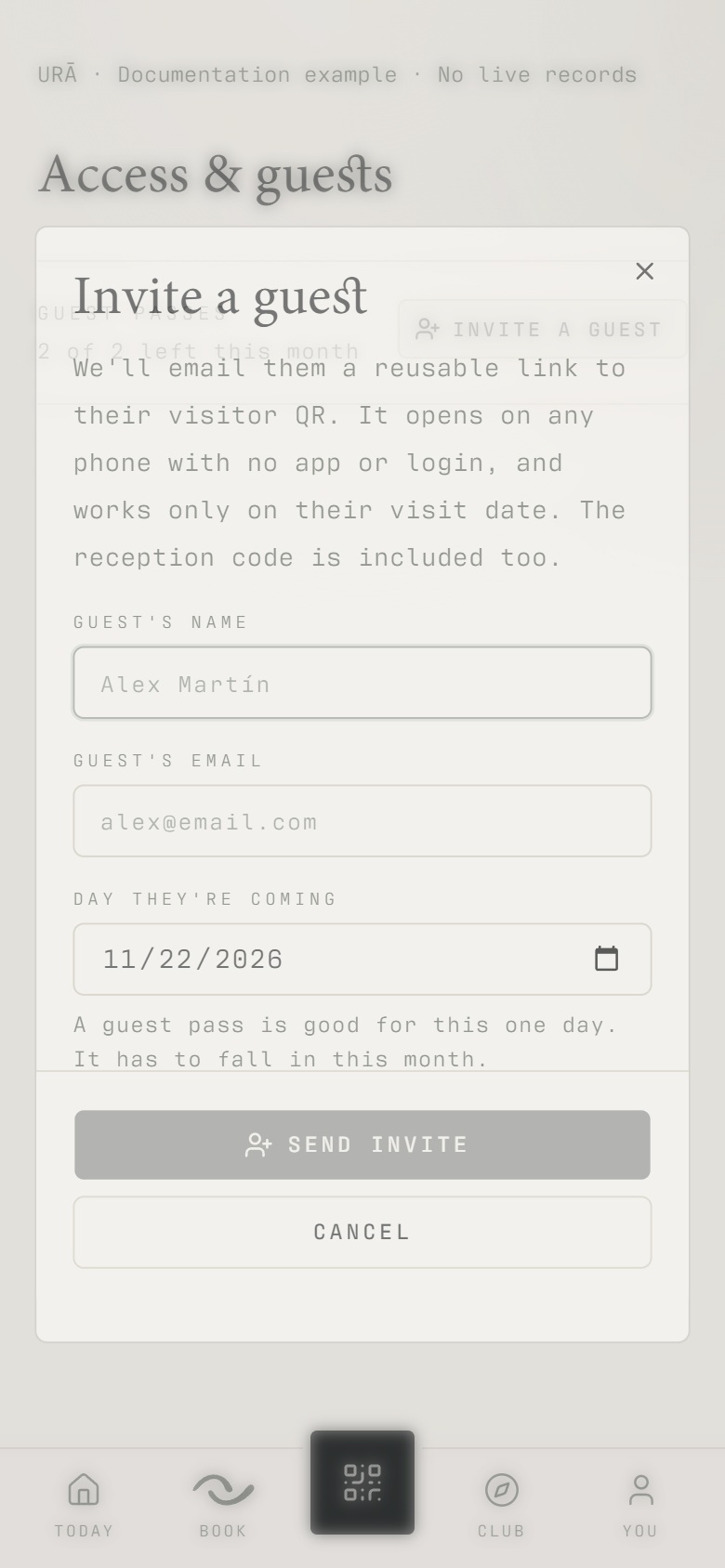
Open You → Invite a guest. This opens the guest form directly.
Enter the guest's name and email and choose the visit date requested by the form.
Check your available guest allowance and submit the invitation.
Ask the guest to check the invitation email for their browser pass link.
If the email is missing, ask reception to check the invitation and copy or resend the visitor link.
What should happen
The invitation is listed in your guest area. The guest receives a browser pass link by email and can show it without a member login or app download.
Example
An invitation for Monday is for that visit. The guest should check the date on the browser pass before travelling.
Screen guide
Troubleshooting
The guest has not received the email.
Ask them to check spam and the address entered on the invitation. Reception can check the existing invitation and copy or resend its visitor link. Avoid submitting another invitation just to retry delivery.
Understand the difference
- Account / access pass
- An account lets a person sign in. Club entry also depends on membership or visit validity, payment, approval and restrictions. Guests use their private browser pass rather than needing a member login.
- Plan allowance / prepaid package / courtesy
- A plan allowance is a membership benefit. A prepaid package has its own session balance. A courtesy invitation is granted at no charge. Select the correct entitlement instead of changing the membership to make a treatment fit.
Before you finish
Guests open their pass in a browser without installing the app or signing in. The visit, payment and access conditions still apply.