Open a guest or day-pass QR
A single visit does not require the app or a login.
Before you begin
Use the private link provided for your visit. Check your name and date; do not publish or forward the pass to another visitor.
What to do
Open the unique visitor link in the invitation email or the message sent by reception.
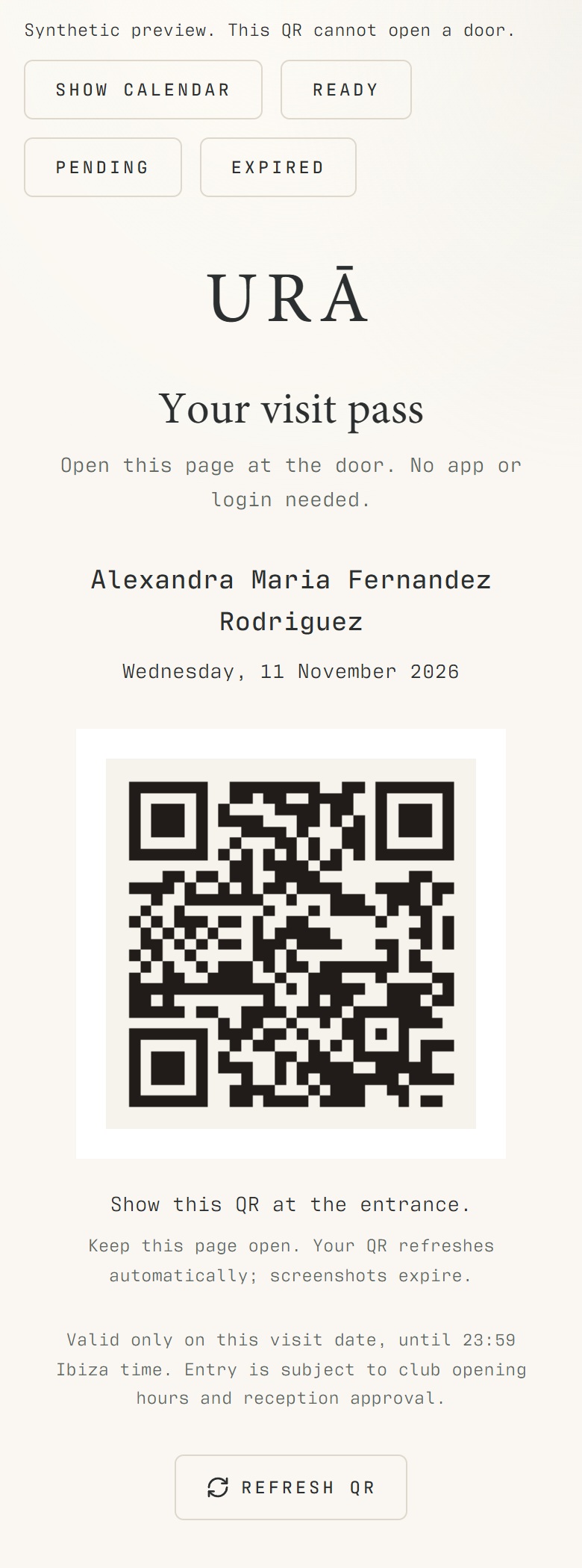
Check the visitor and visit date shown on the pass.
Keep the browser page open and show its current QR at the door.
Ask reception for help if the pass says payment pending, not yet valid, expired or blocked.
What should happen
A valid pass displays in the browser on your phone. A payment-pending, blocked or expired pass cannot be made valid by reloading it.
Example
A Tuesday invitation cannot be reused for Wednesday. Reception must review the actual visit rather than reuse the old QR.
Screen guide
Troubleshooting
My pass is not valid yet or has expired.
Check the visit day shown on the page. A day pass expires at 23:59 on its visit day in the club's time zone. Contact reception if the visit was registered for the wrong day or payment is missing.
Understand the difference
- Account / access pass
- An account lets a person sign in. Club entry also depends on membership or visit validity, payment, approval and restrictions. Guests use their private browser pass rather than needing a member login.
- Plan allowance / prepaid package / courtesy
- A plan allowance is a membership benefit. A prepaid package has its own session balance. A courtesy invitation is granted at no charge. Select the correct entitlement instead of changing the membership to make a treatment fit.
Before you finish
The QR is checked against the visit's current status. A day pass expires at the end of its visit day in the club's time zone. Do not share the link publicly.