Review reports and trainer activity
Use the appropriate date range and distinguish bookings from attendance.
Before you begin
Read each report's period and definition before comparing totals. Have the dated class register available for discrepancies.
What to do
Open Reports or Insights with an authorized account.
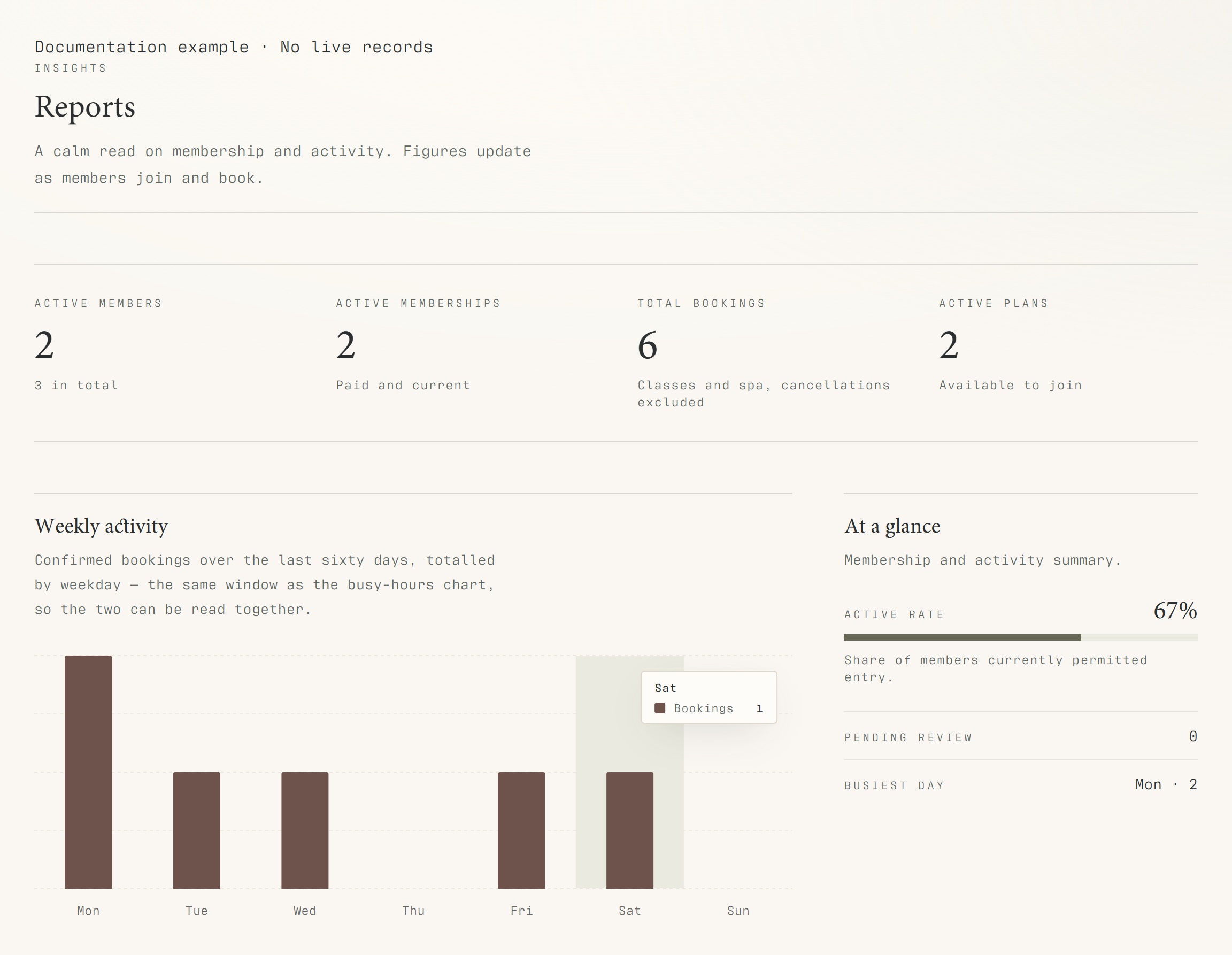
Read the reporting period stated beside each chart; different reports can cover different windows.
Open Trainer stats for trainer and month-level activity.
Compare totals with the dated Class bookings register where needed.
Use an export only where the screen offers it and handle customer information as confidential.
What should happen
You can distinguish reservations, attendance and trainer activity for the periods each screen actually reports.
Example
A month-level trainer total should be checked against that month's occurrences, rather than a single day's attendance list.
Screen guide
Troubleshooting
Do reports include an automatic daily team summary?
That feature was quoted separately and is not documented as live. Use the existing reports and dated registers for current reviews. Different reporting windows or unmarked attendance can explain differing totals.
Understand the difference
- Account / access pass
- An account lets a person sign in. Club entry also depends on membership or visit validity, payment, approval and restrictions. Guests use their private browser pass rather than needing a member login.
- Plan allowance / prepaid package / courtesy
- A plan allowance is a membership benefit. A prepaid package has its own session balance. A courtesy invitation is granted at no charge. Select the correct entitlement instead of changing the membership to make a treatment fit.
Before you finish
A dashboard total is not an accounting invoice. The proposed daily team-summary feature is not documented as an available feature here.